 contact@ffxf.net
 Console
What you get
Close what you did not decide to open.
Protection
Nothing to install
Your rules hold whatever runs in the machine: a misconfigured service or a disabled system firewall changes nothing.
Reuse
One set, many machines
Attach the same firewall to as many machines as you like. Change a rule once, every machine follows.
Inbound
Ports and sources
TCP, UDP, ping or everything, on ports or ranges, from anywhere or from listed IPv4 and IPv6 ranges.
Outbound
When you need it
Outbound stays free until you add an outbound rule; then only what you open goes out, plus DNS.
Always reachable
Console and private network
Replies to the machine's own connections, its private networks and the web console are never filtered.
Automation
API and MCP
The same firewalls from the REST API or an AI agent, which is told to keep SSH open.
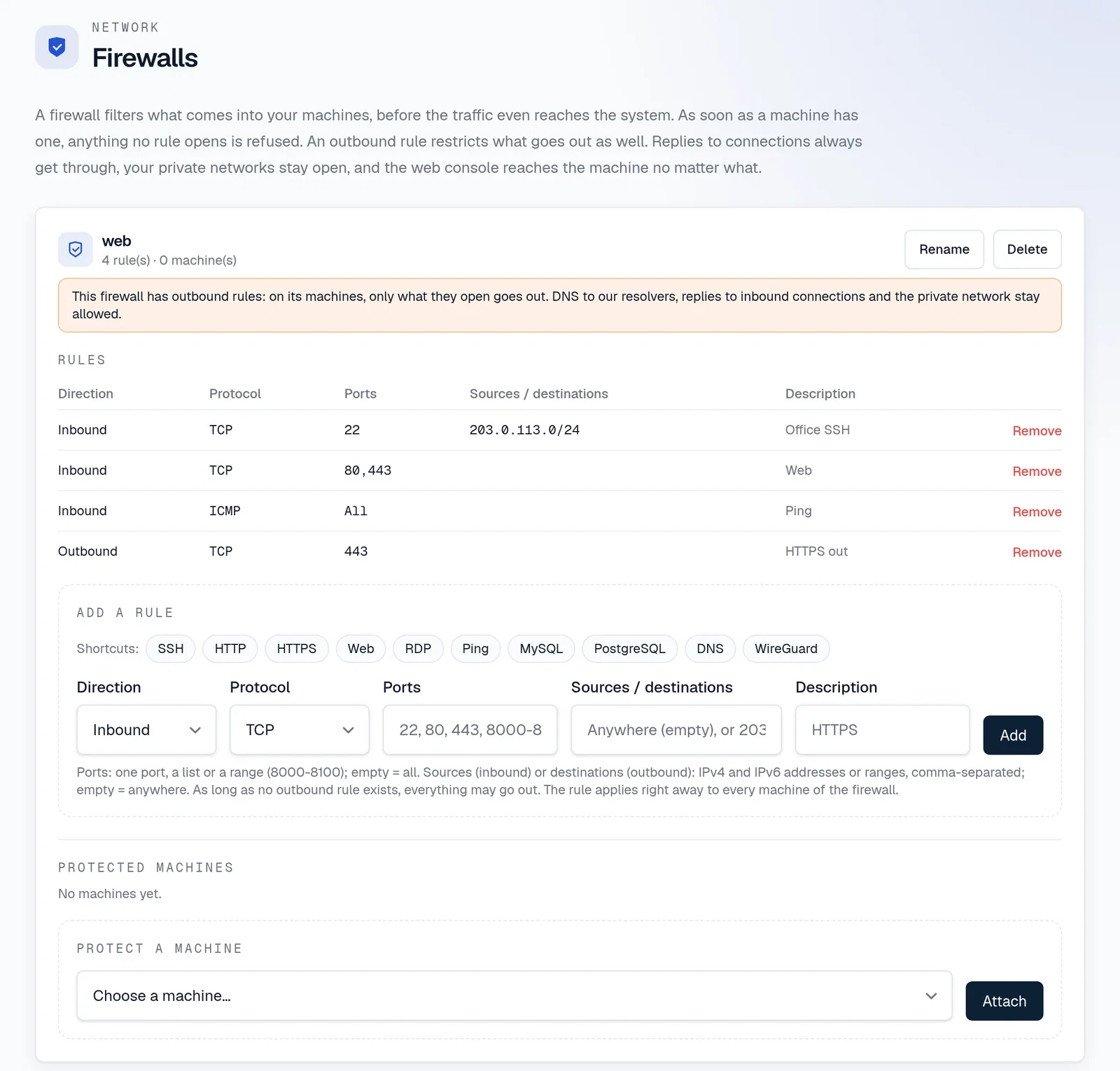
In practice
A firewall, attached in one call.
In the console, shortcuts fill in the usual rules (SSH, Web, RDP, databases, WireGuard). Through the API, describe the rules, then attach the firewall to a machine: inbound traffic no rule opens is dropped within seconds.
curl -s -X POST https://api.ffxf.net/v1/firewalls \
  -H "Authorization: Bearer $FFXF_TOKEN" \
  -H "Content-Type: application/json" \
  -d '{"name": "web", "rules": [
        {"protocol": "tcp", "ports": "22", "sources": ["203.0.113.0/24"]},
        {"protocol": "tcp", "ports": "80,443"},
        {"protocol": "icmp"}]}'

curl -s -X POST https://api.ffxf.net/v1/firewalls/3/members \
  -H "Authorization: Bearer $FFXF_TOKEN" \
  -H "Content-Type: application/json" \
  -d '{"vm": 150}'
Limits
What to know before you start.
| Item | Rule |
|---|---|
| Firewalls per account | 10, more on request from the console |
| Rules per firewall | 50 |
| Sources per rule | 20 IPv4 or IPv6 addresses or ranges |
| Firewalls per machine | 5, rules add up |
| Port 25 outbound | Always closed, whatever the rules |
| Price | Included |
FFxF · Montréal
Protect your machines in a few clicks.
Create a firewall from the console, keep SSH open, attach it, and check from the outside.