contact@ffxf.net
 Console
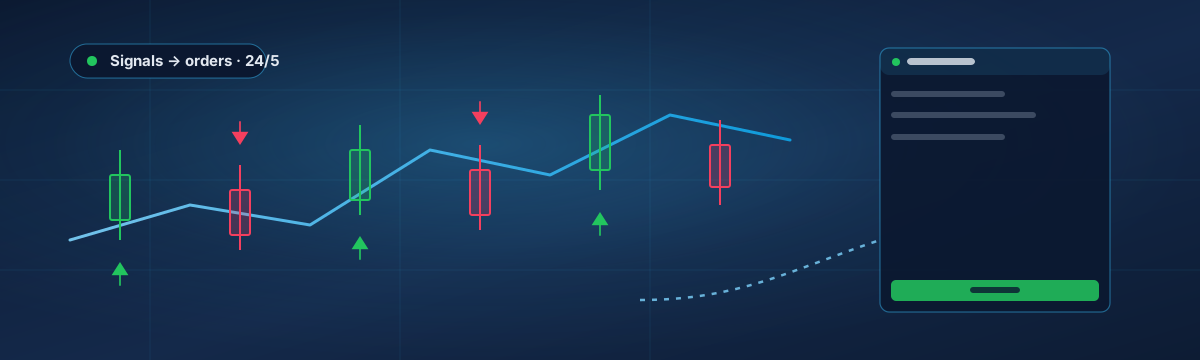
A funded-account challenge is a job interview with a stopwatch: hit the profit target inside the daily and overall loss limits, over a fixed number of days, without breaking a rule you may not have read closely. A VPS does not pass the challenge for you. It does remove the two ways people fail for reasons that have nothing to do with their trading: a terminal that was not running, and a rule about machines and addresses that nobody thought applied to them.
This guide covers what prop firms actually say about VPS, EAs and IP addresses, how to set a machine up so the loss limits are enforced by software rather than by willpower, and the handful of traps that end challenges early.
1. What the rules usually say
Every firm writes its own terms, and they change; read yours, then read them again before the funded phase. The recurring points:
- VPS allowed. Almost universally. Some firms sell their own, most are happy with any machine as long as the account is yours and you are the one trading it.
- EAs allowed, with conditions. Typically yes for your own or purchased EAs, no for latency arbitrage, tick scalping against the firm's feed, or anything that exploits the demo environment. Several firms ban trade copying between accounts held by different people; copying your own signals to your own accounts is often fine, sometimes not.
- One person, one identity. Multiple challenges under one name are usually allowed; multiple accounts under different names from the same machine or address are how bans happen. Firms look at IP addresses, device fingerprints and trade patterns to spot "account management" services.
- News restrictions. Some firms forbid opening positions a few minutes around high-impact releases, on the funded account if not on the challenge. An EA that does not know the calendar will break this rule for you.
- Consistency and minimum days. A cap on how much of the profit can come from a single day, and a minimum number of trading days, are common in the funded phase.
2. Why the IP address matters
Firms flag accounts that share an address with other accounts, because that is what unlicensed account managers look like. A VPS from a cheap "trading VPS" plan may put dozens of customers behind one shared IPv4, and a home connection changes address at the provider's whim. Neither is illegal, both invite questions.
Each FFxF VPS has its own public IPv4, not shared with any other customer, and it stays with the machine. If you run two challenges for two people in your household, that is two machines, two addresses, two logins, and the firm's rules read one more time. It is also the reason not to reach the VPS through a commercial VPN whose exit address is shared with strangers: the firm sees the VPN, not you. A WireGuard tunnel of your own to the VPS is different: only Remote Desktop travels through it, and the terminal still talks to the broker from the VPS's own address.
3. Let software enforce the limits
The daily loss limit is the rule that ends most challenges, and it is a rule a machine keeps better than a person at 2 a.m. Three layers, from the terminal outwards:
- In the EA. Any serious EA or utility has an equity guard. In Trade Indicator Assistant for instance, Max. Daily Loss and Max. Floating Drawdown block new entries at a percentage of the day's starting balance. Set them below the firm's limit, not at it: a 5 % daily rule wants a 3.5 % guard, because the firm counts floating losses and commissions too, and spreads widen at the worst moment.
- A dedicated guard EA on its own chart. Free and paid "prop firm guard" EAs watch equity across all positions and close everything at a threshold. On a VPS this is what protects you when the strategy EA has a bug, or when a news spike moves faster than its logic.
- The firm's own dashboard. Log in every day you trade. The firm's calculation of "daily loss" (from balance or equity at their reset time, in their time zone) is the one that counts, and it rarely matches the terminal's exactly.
None of this works when the terminal is not running. That is the actual reason for the VPS: the guard is only as good as its uptime.
4. A setup that survives the challenge
- One VPS per challenge account. The Starter plan with MetaTrader preinstalled is enough for one terminal; billed by the hour, a two-week challenge costs a few dollars.
- The firm's own MetaTrader build if they ship one, otherwise the broker's; log in with the credentials from the firm's dashboard, master password, Save account information ticked.
- Strategy EA on its chart with its
.setfile, guard EA on a second chart with thresholds under the firm's limits, Algo Trading green. - Windows Update set to install on the weekend. The terminal comes back by itself after a reboot on our template, but a reboot during the New York open is still a reboot.
- Remote Desktop restricted to your IP in the console firewall; one backup taken from the console once the charts are final.
- Disconnect, do not sign out. Reconnect once a day, check the Experts log, check the firm's dashboard.
5. Traps that end challenges early
- The weekend gap. A position held over the weekend on a firm that forbids it, opened by an EA that does not know what day it is. Most EAs have a "close before Friday" input; find it.
- Two terminals, one account. The PC at home still running the same EA on the same account as the VPS: double entries, double lot, instant breach. Turn the PC's terminal off the day the VPS goes live.
- The demo server clock. Challenge accounts run on demo servers whose "day" resets at the firm's server midnight, often GMT+2 or +3. Daily loss guards set to Montréal midnight protect the wrong day.
- Lot size after a reset. A recovery or martingale feature that remembers its sequence across restarts, on an account that has just been reset by the firm. Clear it before the new phase.
- Reading the rules once. The funded phase often has stricter rules than the challenge (news, weekends, consistency). Read them again the day you pass.
For the resources and latency side of the choice, see Choosing a Forex trading VPS; for what a machine in Montréal actually gives a Canadian trader, see MetaTrader VPS in Canada.