contact@ffxf.net
 Console
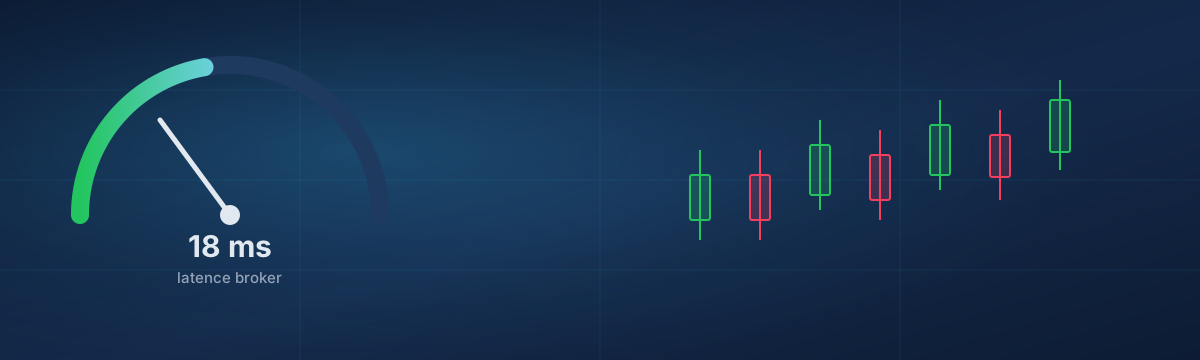
Every VPS host for traders talks about latency, and most of them stop at a number on a marketing page. The only number that matters is the one between your machine and your broker's trade server, measured by you, at the hours you trade. This guide shows how to get it in ten minutes from MetaTrader and from Windows, what the figures typically look like from Montréal, and when a few milliseconds change anything at all.
1. What is being measured
Latency is the round trip between the terminal and the trade server: the order goes out, the confirmation comes back. It is paid on every request, including the ones you do not see, like a stop being moved or a position being polled by an EA. Two figures describe it:
- The average, in milliseconds. From Montréal, the New York and New Jersey hubs where most MetaTrader brokers keep their servers sit about 10 ms away; Toronto is closer still; London is around 80 ms; Tokyo well past 150 ms.
- The jitter, how much it moves. A steady 30 ms is better than a link that swings between 12 and 80 ms, because an EA that calculates a stop on one tick and sends it on the next wants the same delay both times. Home connections and Wi-Fi are where jitter comes from; a wired server in a data centre is where it goes away.
2. Measure from MetaTrader
The terminal already knows. In MetaTrader 5, open File → Open an Account (or Login to Trade Account) and type your broker's name: the list of servers shows a ping next to each one, refreshed live. The same list is behind the connection indicator at the bottom right of the terminal: hover it and you get the current server's latency; click it to switch to a closer access point of the same broker, when one exists.
Note the figure at three moments: the London open (3 a.m. in Montréal), the New York open (8:30 a.m.), and a quiet evening. A server that answers in 12 ms at night and 40 ms at the open tells you more than a single reading.
3. Measure from Windows
For the path itself, use the tools already on the machine. Find the server's address in the terminal's Journal tab (the line "connected to …") or in the broker's documentation, then from a command prompt:
# Round trip, 20 samples, look at the min/avg/max line
ping -n 20 mt5-real.yourbroker.com

# The route: where the hops are, and where the delay appears
tracert mt5-real.yourbroker.com
Two cautions. Many broker servers answer ping from a load balancer, not from the
trade server, so the terminal's own figure is the one to trust when they
disagree. And a server that does not answer ping at all is not down; some simply
drop ICMP. In that case, tracert still shows the hops up to the last
one that answers, which is usually enough to tell which city you are talking to.
4. What to expect from Montréal
Measured from our network to the usual hubs, as an order of magnitude rather than a promise, since the last mile inside the broker's data centre is theirs:
- New York / New Jersey (Equinix NY4 area, where most Americas MT servers live): about 10 ms.
- Toronto: under 10 ms.
- Chicago: around 25 ms.
- London (LD4/LD5): around 75 to 90 ms.
- Frankfurt: around 95 ms. Tokyo: 170 ms and up.
Your home connection to the same New York server is typically 25 to 60 ms, with the jitter of a residential line and a Wi-Fi hop. The VPS does not make the broker faster; it removes the part of the path that was yours.
5. When it changes something, and when it does not
- Swing and daily strategies. 15 ms or 150 ms, the fill is the same. What you buy with a VPS here is uptime: the EA stays connected while the laptop sleeps.
- Intraday and news trading. Latency shows up as slippage on fast moves and as requotes on MT4. Going from 60 ms at home to 12 ms on a VPS near the broker is visible on the trade history.
- Scalping and tick-level EAs. Every millisecond of the round trip counts, and jitter counts double. This is where a European broker with London servers deserves a European VPS, whatever the marketing says about ours.
- Copiers and arbitrage between brokers. The relevant figure is the sum of two paths. Put the VPS where the slower broker is.
6. Test it for a few cents
The honest way to know is to try. Order a Starter VPS with MetaTrader preinstalled billed by the hour (0.033 CAD an hour), log in, add your broker's server in the login dialog, read the ping, run the two commands above, and stop the machine. An hour of testing costs less than a coffee, and the result is your figure, not ours.
If your broker turns out to be in London, say so in a ticket: we will tell you plainly whether Montréal is still worth it for your strategy. The rest of the buying decision, resources, uptime and cost, is in Choosing a Forex trading VPS.