contact@ffxf.net
 Console

Easypanel is a modern server control panel built on Docker: you deploy apps, databases and sites from the browser, each with its domain and HTTPS certificate. It has joined our catalogue: every FFxF VPS can now be delivered with Easypanel preinstalled, on Ubuntu 24.04.
No script to run, no Docker to install: you order, you open port 3000, you deploy. Here is how, timed on a real machine.
1. Order a VPS with Easypanel
The shortest way: the Easypanel VPS page. Every “Order” button opens the console with the Easypanel image already selected; you only pick the machine's name and the billing mode. The same link works from anywhere:
https://console.ffxf.net/servers/order-vm?image=easypanelIn the console, Easypanel is also in the Applications tab of the system picker. Nano (1 vCPU, 2 GB) is enough to try it and run a few small apps; take Starter (2 vCPU, 4 GB) as soon as a database is involved.
2. The first boot, timed
We ordered an hourly Nano and measured. The machine was delivered about twenty seconds after the order; Easypanel then finishes installing on the first boot, and the panel answered on port 3000 about a minute and a half after the order.
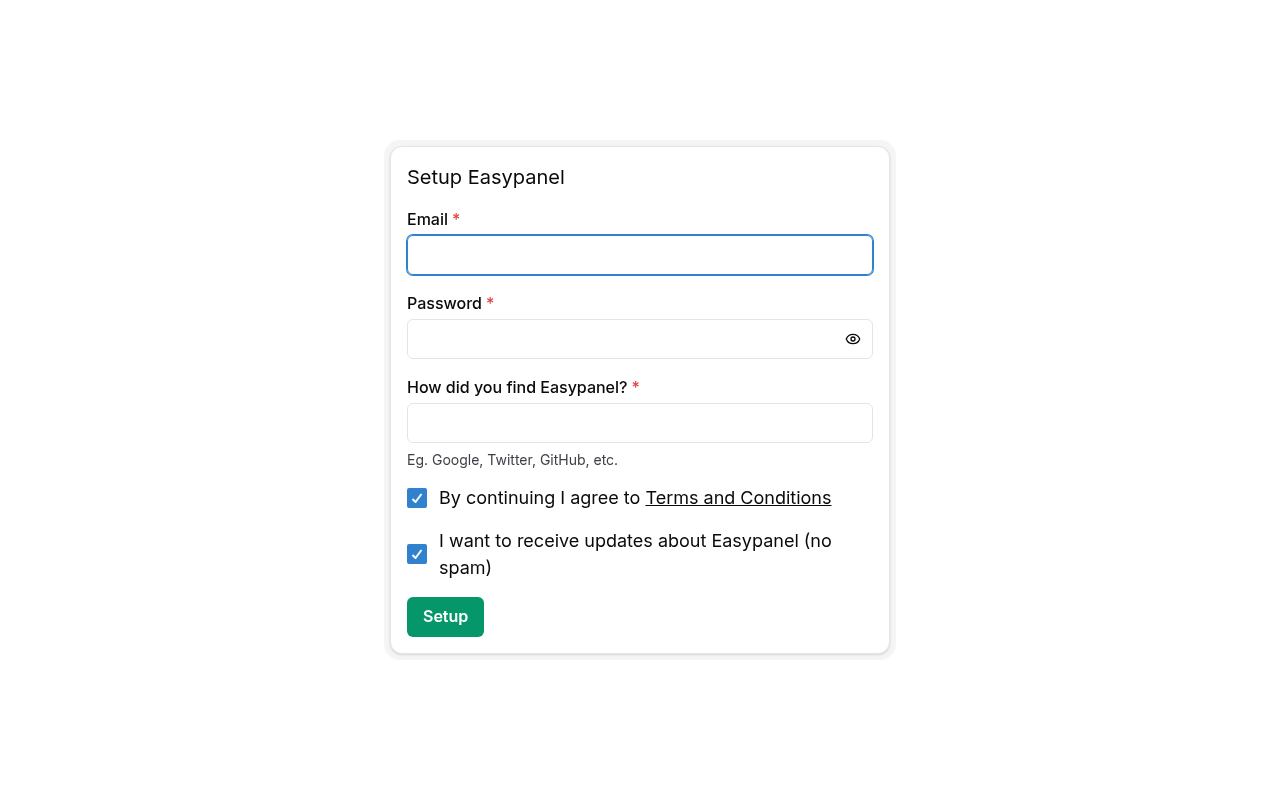
Then open http://your-ip:3000. The first page asks you to create the
admin account: do it right away, the first visitor to port 3000
sets it.
3. Deploy an app
In Easypanel, create a project, then pick a template (WordPress, n8n, a PostgreSQL database…) or connect a Git repository or a Docker image. Add a domain whose A record points at the machine's IPv4: Easypanel requests the HTTPS certificate on its own.
Give the panel itself a domain too, to use it over HTTPS rather than on
http://…:3000. You also keep full root access over SSH: it is your
machine, Easypanel is simply installed on it.
4. What it costs
| Plan | Resources | Monthly | Hourly |
|---|---|---|---|
| Nano | 1 vCPU · 2 GB · 20 GB | 8.50 CAD | 0.018 CAD |
| Starter | 2 vCPU · 4 GB · 40 GB | 16 CAD | 0.033 CAD |
| Pro | 4 vCPU · 8 GB · 80 GB | 30 CAD | 0.062 CAD |
| Scale | 8 vCPU · 16 GB · 160 GB | 56 CAD | 0.116 CAD |
Every plan includes a dedicated IPv4, a routed IPv6 /64, backups, the KVM console and 1 TB of traffic. Easypanel works out of the box on its free plan; its paid plans, if you need them, are bought directly from Easypanel. To try it, hourly billing lets you test everything for a few cents, then destroy the machine.
Everything is on the Easypanel VPS page.