contact@ffxf.net
 Console


Valkey is the open-source continuation of Redis 7.2, under the BSD licence, maintained since 2024 under the Linux Foundation. It speaks the same protocol and accepts the same commands, so Redis clients connect to it unchanged.
FFxF offers Valkey 8.1 as one of its managed databases. This post measures what a Valkey cache buys an application, from a test run on November 3, 2026: a 1 GB Valkey database and a Nano VM on the same private network, a slow read of over 200 ms, then the same read served from the cache. The database setup itself (TLS, backups, restores) is covered in Managed databases in Montréal, a real walkthrough. Passwords are masked.
1. The setup
A private network 10.66.0.0/24, a Valkey database of the smallest size
(1 GB, 0.020 CAD an hour) and an IPv6-only Debian 13 Nano (0.014 CAD an hour) attached
to the same network. The database, through the API:
curl -s -X POST https://api.ffxf.net/v1/databases \
     -H "Authorization: Bearer $FFXF_TOKEN" \
     -H "Idempotency-Key: $(uuidgen)" \
     -H "Content-Type: application/json" \
     -d '{"name": "cache", "vpc": 43, "engine": "valkey", "size_gb": 1}'
Ordered at 11:06:31, it was active at 11:12:59, with its Let's Encrypt certificate in
place a minute later. The connection string comes from
GET /v1/databases/33/credentials and goes into a file on the VM that only
its user can read:
rediss://default:••••••••@private-awfgnu7jfj.db.ffxf.cloud:6379
On the VM, the tools come from Debian packages:
apt install valkey-tools redis-tools python3-redis nodejs npm
(valkey-cli 8.1.1, redis-cli 8.0.2, redis-py 6.1.0, Node 20).
2. TLS and a password, always
The database only takes encrypted, authenticated connections:
$ valkey-cli -h private-awfgnu7jfj.db.ffxf.cloud PING
Error: Connection reset by peer

$ valkey-cli -h private-awfgnu7jfj.db.ffxf.cloud --tls PING
NOAUTH Authentication required.

$ REDISCLI_AUTH=•••••••• valkey-cli -h private-awfgnu7jfj.db.ffxf.cloud --tls PING
PONG
The certificate is trusted by the system store, with no file to download:
subject=CN=awfgnu7jfj.db.ffxf.cloud
issuer=C=US, O=Let's Encrypt, CN=YR2
Protocol: TLSv1.3
Verify return code: 0 (ok)
REDISCLI_AUTH keeps the password off the command line, where
-a would leave it in your shell history and the process list. One detail
on an IPv6-only VM: the DNS64 resolver also returns a 64:ff9b::a42:2
address for the private name, and it leads nowhere. Every client tested below picked
the private IPv4 address (10.66.0.2) without any setting, but if a client
hangs while connecting, check that first.
3. Raw latency over the private network
valkey-benchmark, run from the Nano over TLS, with 64-byte values and
100,000 requests per run. -c is the number of connections,
-P the number of commands sent at once (pipelining):
valkey-benchmark -h private-awfgnu7jfj.db.ffxf.cloud --tls -a "$REDISCLI_AUTH" \
-t set,get -n 100000 -d 64 -c 1 -P 1 --csv| Run | GETs per second | GET p50 | GET p95 | SETs per second | SET p50 |
|---|---|---|---|---|---|
| 1 connection, no pipeline | 9,088 | 0.095 ms | 0.143 ms | 8,455 | 0.103 ms |
| 1 connection, pipeline of 16 | 130,208 | 0.111 ms | 0.159 ms | 110,011 | 0.135 ms |
| 50 connections, no pipeline | 53,362 | 0.495 ms | 0.823 ms | 53,163 | 0.599 ms |
| 50 connections, pipeline of 16 | 523,560 | 1.023 ms | 1.383 ms | 296,736 | 2.151 ms |
A round trip costs about a tenth of a millisecond, encryption included. The server's
share is close to nothing: GET /v1/databases/33/queries reported 400,004
GETs for 158.9 ms of total time, under a microsecond each. The rest is network, TLS
and the client. Hence pipelining: sixteen commands sent together cost barely more than
one. At 50 connections the client, on a single vCPU, becomes the bottleneck, so treat
those figures as a floor.
4. A slow read, with and without the cache
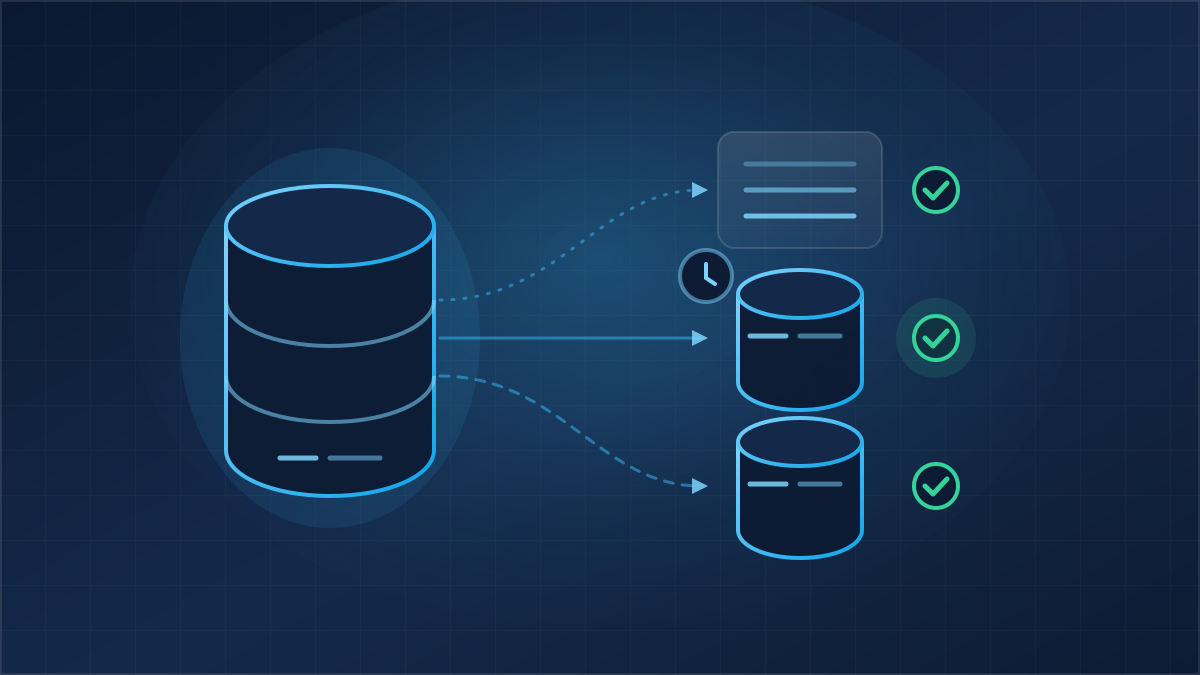
The test application is a Python script. Its "slow" data is a per-product dashboard computed in SQLite over 2 million sales (63 MB, no index on the product column): sales count, quantities, revenue, average price and best day. Each computation scans the table twice, about 210 ms. The cache follows the most common pattern (cache-aside): read Valkey, otherwise compute and store the result for five minutes.
import json, os, redis

r = redis.Redis.from_url(os.environ["VALKEY_URL"])   # rediss:// means verified TLS

def stats_cached(product):
    key = f"stats:produit:{product}"
    v = r.get(key)
    if v is not None:
        return json.loads(v)
    res = stats_uncached(product)                     # the 210 ms SQLite query
    r.set(key, json.dumps(res), ex=300)
    return res
Reads follow a realistic skew: 80% hit 100 popular products, the rest spread over all 1,000. One thread, every call timed:
| Run | Reads | p50 | p95 | p99 | Throughput |
|---|---|---|---|---|---|
| No cache | 300 | 214.02 ms | 236.02 ms | 266.89 ms | 5 reads/s |
| Cache empty at start | 5,000 | 0.24 ms | 227.20 ms | 247.19 ms | 34 reads/s |
| Warm cache | 5,000 | 0.17 ms | 0.25 ms | 0.36 ms | 5,375 reads/s |
With a warm cache, the median read drops from 214 ms to 0.17 ms, and single-thread throughput goes from 5 to 5,375 reads per second. The run that starts from an empty cache shows what a cold start looks like: 647 misses out of 5,000 reads, so 87% served by Valkey, but p95 is still slow because those 13% pay for the full computation. Overall throughput stays at 34 reads per second there: the computation sets it, not the cache.
Two notes. A cached read takes 0.17 ms against 0.095 ms for a
valkey-benchmark GET; the difference is Python and JSON decoding. And four
threads instead of one, on a single-vCPU Nano, give less (2,958 reads per second):
Python's global lock and the lone CPU are the limit, not Valkey.
5. Everyday Redis clients
Valkey reports two versions in INFO server: the Redis protocol version it
carries on, and its own:
redis_version:7.2.4
valkey_version:8.1.1
redis-cli 8.0.2 and redis-py 6.1.0 connect with the same rediss:// URL.
On the Node side, ioredis 6.0.0 reads the key the Python script stored:
const Redis = require("ioredis");
const r = new Redis(process.env.VALKEY_URL);   // rediss:// turns on TLS

(async () => {
  console.log(await r.ping());
  console.log(await r.get("stats:produit:7"), await r.ttl("stats:produit:7"));
  await r.quit();
})();PONG
[2027,6092,606107.55,99.25,"2026-08-10"] 68
redis-py checks both the certificate and the name: the same URL with the private IP in
place of the hostname is refused (certificate is not valid for
'10.66.0.2'). Always use the hostname you are given.
6. Memory and eviction
On a 1 GB database, Valkey gets 567 MB for data (maxmemory 594,542,592
bytes, also exposed as data_memory.max_bytes in the API); the rest runs
the system and the snapshots. The default policy is noeviction. Filled
with 10 KB values, the database refused writes at 57,483 keys:
Error from server: OOM command not allowed when used memory > 'maxmemory'.
used_memory_human:566.59M
evicted_keys:0
CONFIG SET is refused (NOPERM), so the policy is changed
through the API or the console. Eight values are accepted, Valkey's own:
noeviction, allkeys-lru, allkeys-lfu,
allkeys-random, volatile-lru, volatile-lfu,
volatile-random and volatile-ttl.
curl -s -X PATCH https://api.ffxf.net/v1/databases/33 \
     -H "Authorization: Bearer $FFXF_TOKEN" \
     -H "Content-Type: application/json" \
     -d '{"eviction_policy": "allkeys-lru"}'
Requested at 11:27:24, allkeys-lru showed up in
CONFIG GET maxmemory-policy four seconds later. Another 30,000 writes of
10 KB then all succeeded, and Valkey evicted 29,918 older keys to make room. For a pure
cache, allkeys-lru or allkeys-lfu fit. If the same database
also holds data that must not vanish (sessions, queues), give a TTL to the cache keys
only and pick a volatile-* policy. With noeviction, make the
application catch the OOM error and serve the value without storing it.
7. Persistence
A cache can be rebuilt, but Valkey also holds sessions and counters. The database runs
with the AOF log on (appendonly yes, appendfsync everysec):
every write reaches disk within a second. Off site, a snapshot is taken every hour when
there were writes, kept 24 hours, then one a day for 7 days. The first one was taken at
creation, and its restore test passed a few seconds later
(backups.last_restore_test.ok: true). A restore creates a new database
from the last snapshot taken before the chosen minute: for Valkey the granularity is
the hour, not the minute as with PostgreSQL.
8. Limits worth knowing
- No admin commands:
CONFIG SET,ACL LIST,MONITORandBGSAVEanswerNOPERM.CONFIG GETandINFOstill work. FLUSHALLis allowed for the admin user (we tried it) and, according to the documentation, for the others too: give each application its own user, and keep thedefaultpassword out of your code.- A single machine: we saw no replica or cluster mode in the API. A restart for a minor update, in your maintenance window, takes the database down for a minute or two.
- One vCPU at 1 and 2 GB,
io-threads 1,maxclients 1000, 16 numbered databases with no per-database access. - Private network first: public access is off at creation, and a cache far from the application loses most of its point.
9. Pricing and the cost of this test
Valkey is priced like the other engines: 0.020 CAD an hour for 1 GB (about 14.60 CAD a month), 0.030 CAD for 2 GB, 0.055 CAD for 4 GB, backups included. The database and the Nano lived 21 minutes and were billed one hour each: 0.034 CAD for the whole test. Every API route is in the databases guide.